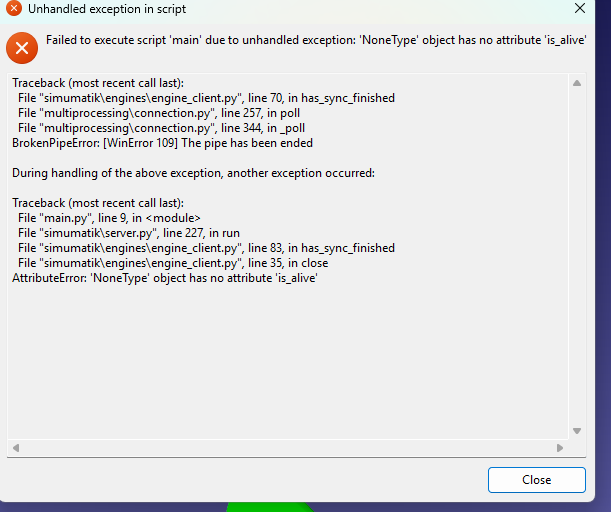
Hi, I am currently trying to follow along with the Component Builder Mechatronics module where we connect an industrial robot with RoboDk. I have followed all the steps accurately and got it working, but I had to stop and reset the simulation to edit some of the orientations of the robot. When I tried to run the simulation again a pop up error saying that there was an unhandled exception in script showed. I have tried closing out of simumatik entirely, restarting my computer, and even uninstalling RoboDK and all related files from my computer and reinstalling them, but nothing has worked. Any advise would be appreciated. I am using a windows 11 computer.
Hi,
We may need more information to support you. It sounds like a very specific issue/bug. Could you send an email to support@simumatik.com with the name of the system that makes the workspace crash so we can try to reproduce the problem?
1 Like
The problem was that the upper limit on the joints was false in the XML. This has been fixed and now runs.
Thanks for the update. For the record, there is a bug in the component editor (we are working on the fix) that allows to remove the joint limits. In addition, the xml validator does not catch the issue and the workspace crashes.
This topic was automatically closed 90 days after the last reply. New replies are no longer allowed.